
 LumeWorklog
From a busy week to a clear client update
Your freelance work, ready to report.
When a client asks what went into the week, your notes should have the answer. LumeWorklog brings activities, project tags and calendar context into a local Mac work log you can review before sharing.
macOS 14+ · Apple silicon · No account · No subscription
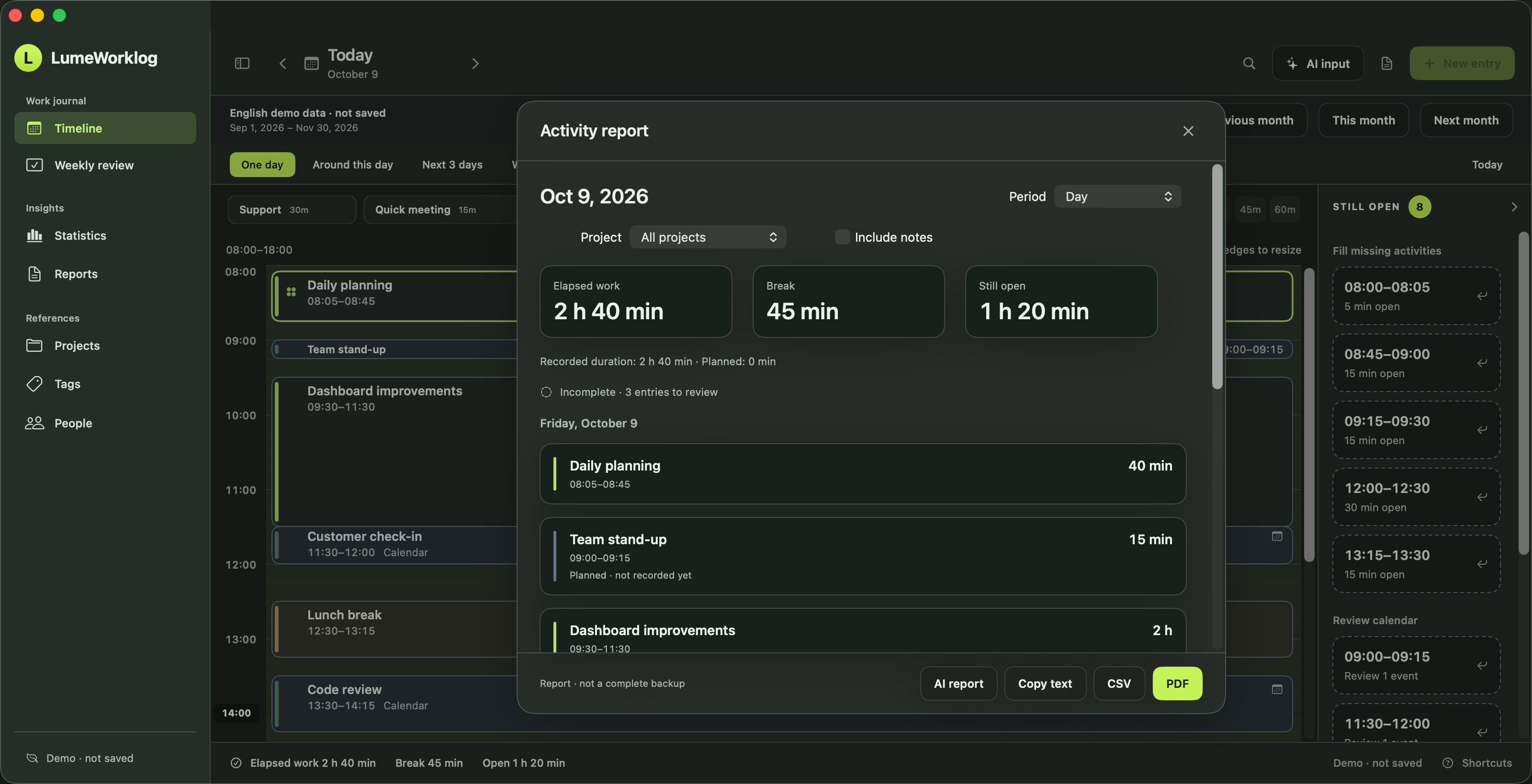
Keep the context behind the hours
A total tells you how long a project took. A useful work log also records the work behind it: the brief you clarified, the design you revised or the support problem you resolved. Add a short note while the details are fresh, then use a #project tag to bring related entries together.
You can record work as you go or reconstruct missing activities later. Review gaps and copied calendar events before preparing a report. LumeWorklog does not infer that you attended a meeting or turn every open time slot into worked time.
A simple Friday reporting routine
Review the week
Open Weekly review and inspect missing time, planned activities and calendar copies. Confirm what you actually worked on and correct the times.
Choose the client project
Open Reports, select the week and filter by the relevant project tag. Check the scope and decide whether the recipient needs your notes.
Export and review
Use PDF for a readable client update, CSV for a spreadsheet or copied text for a message. Read the exported content before sending it. Standard exports are created locally.
Example: a small client project
The example below shows how a few specific entries explain a total. It is an illustrative work log, not an exported file or a claim about the screenshot above.
| Time | Activity | Useful context |
|---|---|---|
| 09:00–09:30 | Clarify the brief | Confirm the scope and next milestone. |
| 09:30–10:45 | Revise the landing page | Update the layout and prepare a review. |
| 11:00–11:20 | Write the handoff notes | Summarize changes and open questions. |
Recorded work: 2 h 5 min. The 15-minute gap is not counted as work.
Decide what belongs in the client report
Internal notes can contain unfinished thoughts or details the client does not need. The report lets you choose whether to include notes. Review the selected period, project and text before sharing; only send the exported file you intend the recipient to see.
Worklog entries are stored on your Mac. Manual recording and standard reports work offline. Optional OpenAI actions send your input and selected sources for that request, require your own API key and may incur provider charges. Technical network activity is explained on the Data & statistics page.
Common questions
Does it create invoices or calculate billable rates?
LumeWorklog creates work reports from your entries. Invoicing, billable-rate calculations, payroll and team approvals are outside this workflow.
Is it an automatic activity tracker?
No. It does not passively monitor the apps or websites you use. You record and review activities; optional calendar copies and AI drafts can help you prepare entries.
What do I need to get started?
macOS 14 or later on Apple silicon. The current app is free, with no account or subscription required. Try the separate demo window with fictional entries first. Optional AI has its own provider or hardware requirements.
Try it with example entries
After downloading, open the separate demo window. Try the timeline, review a week and create a report before adding your own work.
The current app is free. Optional AI provider charges are separate.