
 LumeWorklog
Export weekly timesheet reports on Mac
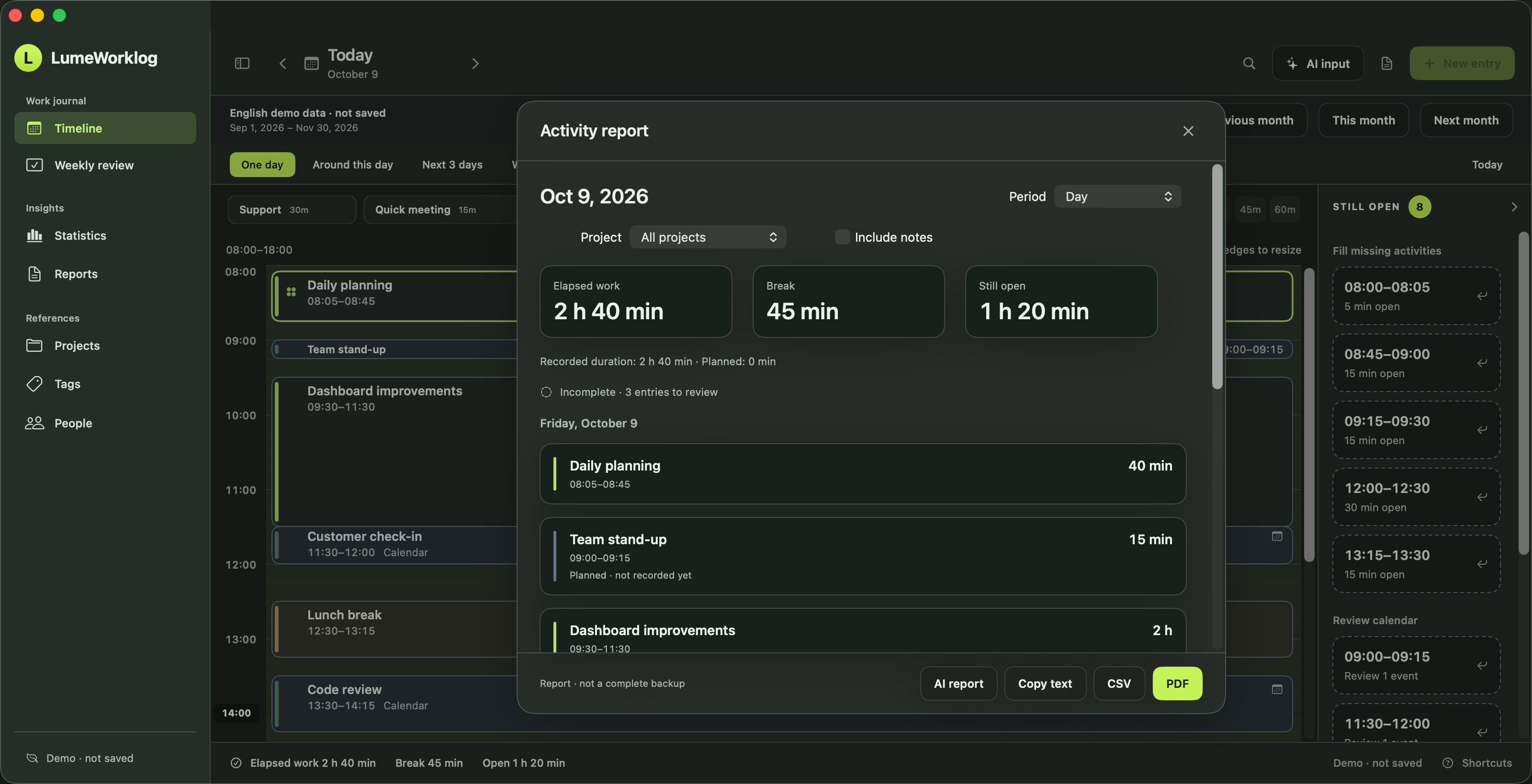
Create a weekly timesheet report on Mac from your recorded work. Filter by project, choose notes and export PDF, CSV or text for a client or team.
Steps
- Choose the period
Review missing work and calendar copies, then open Reports and choose the week or another date range.
- Choose contents
Filter by project to prepare a client work report. Decide whether to include notes and check the recorded hours before exporting.
- Export
Save a PDF or CSV, or copy the report text. Review the contents before sharing.
Standard PDF, CSV and text exports are created locally. Use PDF for a readable work summary, CSV for a spreadsheet, or text for a weekly update. You choose which exported files to share.
Try it on your Mac
Requires macOS 14 or later on Apple silicon. The app includes a separate demo with example entries.
Installation and example-data instructions