
 LumeWorklog
Track work hours and fill time gaps on Mac
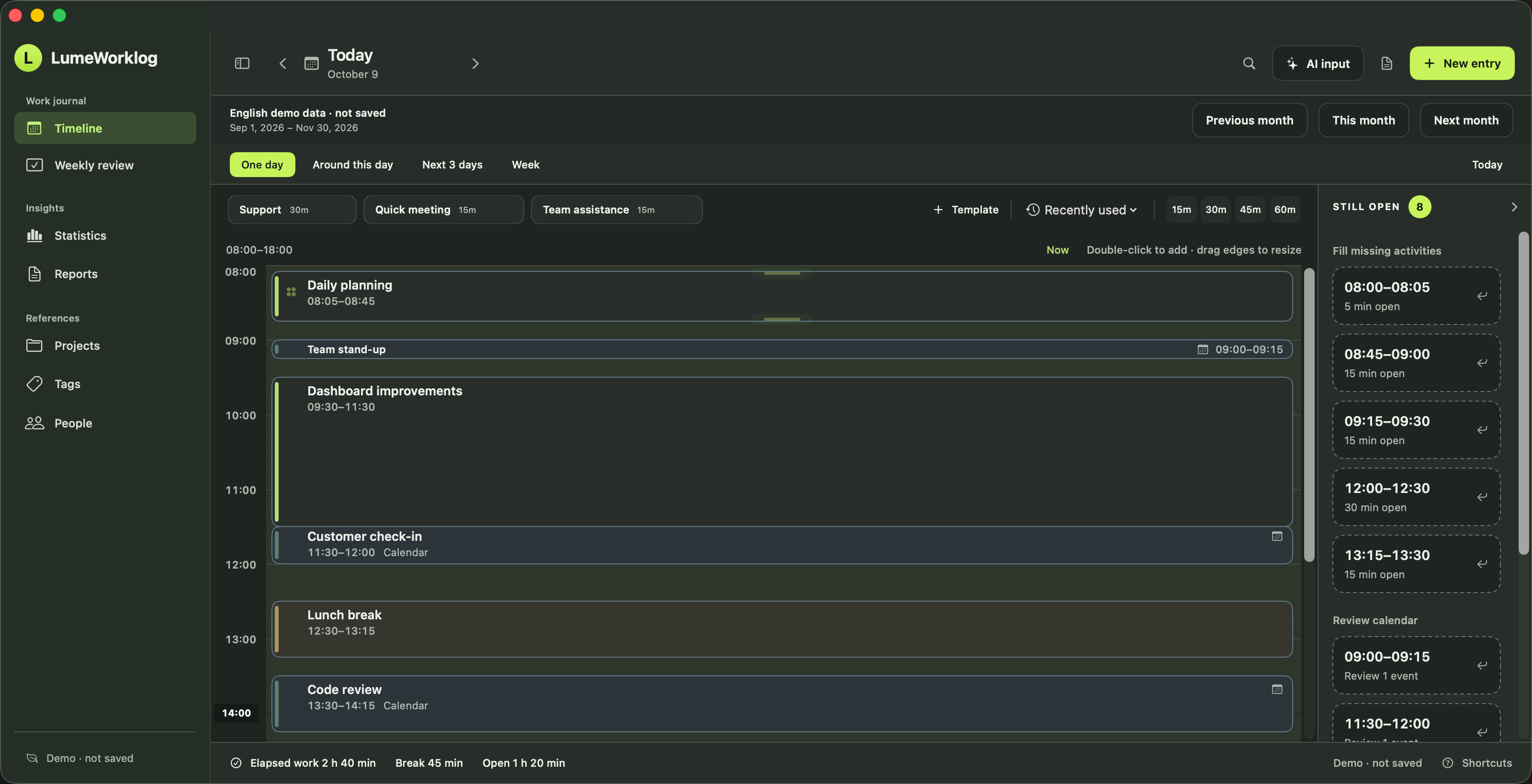
Record work hours on your Mac, add missing activities and group time by project. Keep a daily worklog ready for your weekly timesheet. Free, with no account.
Steps
- Add an activity
Create an entry in an open time slot on the daily timeline. Include short support calls and project tasks while you still remember them.
- Keep the context
Add a title, #tags and optional notes. Mark the relevant tags as projects to group your recorded hours in Statistics and reports.
- Adjust the time
Set the actual start and end, or resize the activity on the timeline. Review past recording gaps before preparing your weekly timesheet.
This workflow records work you choose to enter. It does not infer what you did from your open apps or browser history.
Try it on your Mac
Requires macOS 14 or later on Apple silicon. The app includes a separate demo with example entries.
Installation and example-data instructions