
 LumeWorklog
Your calendar and meeting links in the Mac menu bar
See your calendar agenda and open meeting links from the Mac menu bar. Choose manual or scheduled link opening with LumeWorklog, a free Mac worklog.
Steps
- See your agenda
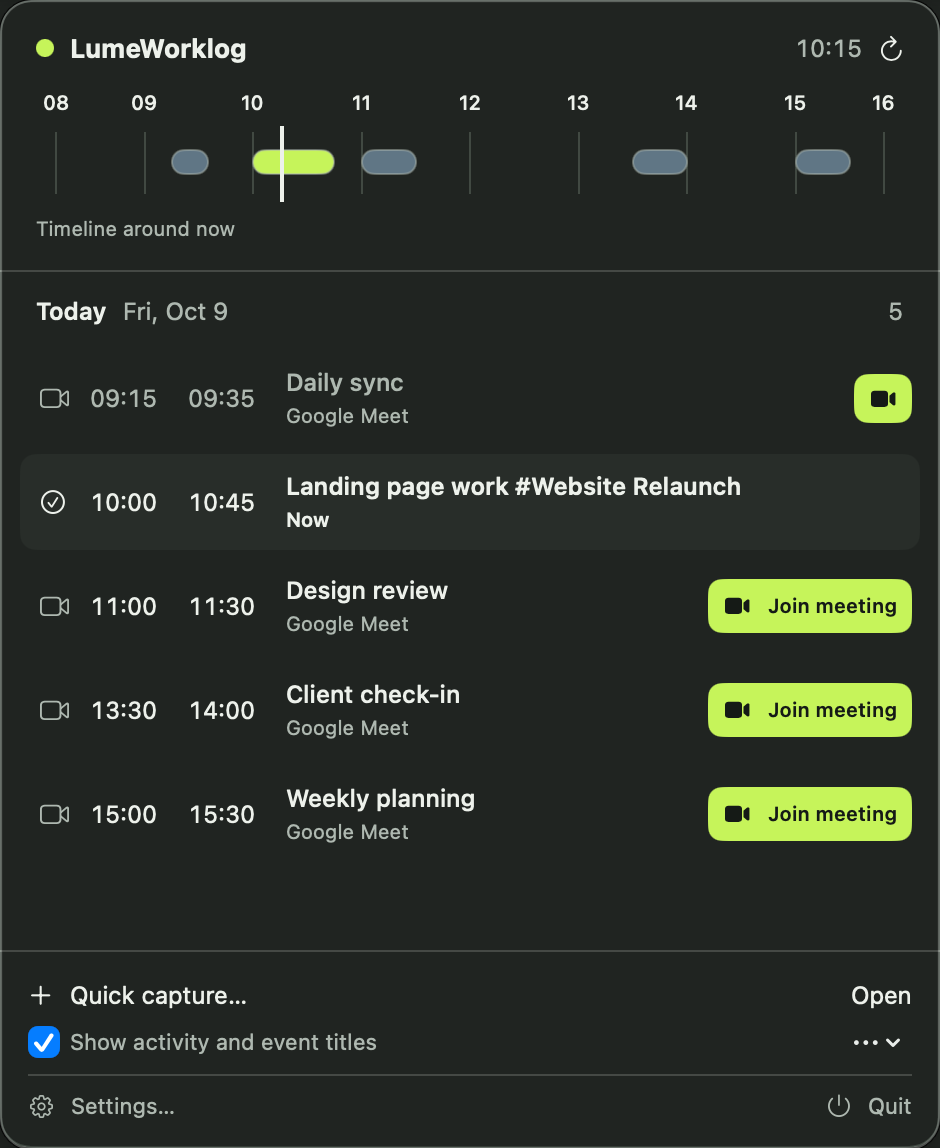
Open LumeWorklog from the macOS menu bar to see today’s work and calendar meetings, even with the main window closed.
- Open a link
Choose Join meeting beside a calendar event with a supported meeting link. The link opens in your browser.
- Choose scheduled opening
Automatic opening is optional. Set it and its lead time in Settings.
Opening a meeting link takes you to the provider’s page. It does not automatically join a call.
Try it on your Mac
Requires macOS 14 or later on Apple silicon. The app includes a separate demo with example entries.
Installation and example-data instructions